Showing posts with label Kubuntu. Show all posts

Friday, August 17, 2018

Akademy: closing time

Akademy is always a whirlwind which is my excuse for not blogging! Today we wrapped up the program which leaves us in a nearly-empty venue and a bit of time after lunch to catch up.

I did manage to gather photos together in Google Photos: https://photos.app.goo.gl/qHPwehW8C1zPGuav7

Thanks again to the KDE e.V. for sponsoring my hostel and the Ubuntu Community Fund for part of my travel expenses. This allowed me to attend. Meeting Popey from the Ubuntu community and the Limux team was great, although we didn't do as much Kubuntu work as in past years. However, attending the Distro BoF was a great experience; very friendly and collaborative.

As always, the talks were interesting, the "hall track" fascinating, BoFs engaging. The high point for me personally was being given an Akademy Award on Sunday after a blessedly-short e.V. meeting. I almost fainted from surprise! It feels wonderful to be not just appreciated but honored for my work for the KDE community. 

Thank you again!

I will update here with a photo when I can.

Yesterday and today were taken up with trainings, which while exhausting are extremely valuable. Along with the documentation work ahead, I look forward to integrating both the Non-Violent Communication and Tech Documentation trainings into my work.

In addition, I will be happy to see our documentation team re-group and gain strength over the next year as we work with the contractor on identifying pain points and fixing them.

I got lost yesterday, which one should always do in a strange city. Here is one of the beautiful windows I saw before finding the tram and a different way home:

Tomorrow we meet at 3:45 am to share an Uber to the airport and the beginning of the journey home. To KDE friends new and old: we'll meet next year at Akademy I hope, or at least in IRC.

Local friends and family, I'll see you soon!

Saturday, August 4, 2018

Life in Deventer

Time passes. In Deventer, it is chimed by the church bells every hour, and during the day, a tiny concert every quarter-hour. To celebrate the Market, there was a concert of bells yesterday. The guest carillon-master was quite showy, with flourishes and trills! The church is in the next block, so we hear the bells very clearly. Behind the house a short distance is the Roman Catholic church, where yesterday we heard the joyous tolling of bells to celebrate a wedding.

After we visited the Market yesterday, Irina took me to the cheese shop. The phrase "cheese shop" doesn't cover how amazing this place is, even before one walks in and smells the symphony of cheese within:


After our trip to the Market, Irina as if by magick produced quail pies for lunch! The previous evening we had eaten at a *great* restaurant just around the corner from their house, and all had the quail. Our leftover halves were packed up and became pies!

This is being typed and put together out on the terrace, shared with the birds of the nieghborhood, the sun, and an enormous tree in a neighboring square.


In short, life is good! My thanks to the KDE e.V. for supporting the KDE community and Akademy, and sponsoring my accomodation while there. My thanks to the Ubuntu community fund for sponsoring my travel here and back home again. My profound and deep thanks to Boud and Irina Rempt for their generosity, thoughtfulness, hospitality, peaceful house and delicious food, and most of all, for asking me to come and live with them in Deventer this week. This is city living at its finest.

Thursday, August 2, 2018

Going to Akademy!

I'm going to Akademy! https://akademy.kde.org/2018

Here in beautiful Deventer, in the Netherlands, with Boud and Irina Rempt, the first leg of the journey to Akademy is done. The plane ride as always was dreadful, however the train from Amsterdam through the countryside was nearly silent, fast, and beautiful. I'm recovering from jetlag, eating great salads, wonderful cheese, drinking good beer, and most important, chatting up Irina and Boud, and watching the birds play on the nieghboring roofs. The church in the next block rings the hours, and during the day, some small tunes at the quarter-hour. We walk to the grocery and out to a local restaurant yesterday:


Thank you to the Ubuntu Community for funding my travel here and home!

Thursday, March 22, 2018

More zsync magic for LTS updates

I wrote before about how to update superceeded ISOs using zsync, and it's time to do that again, now that 16.04 LTS has the latest point release, to .4.

So the new command needed, after cd /path/to/iso is

cp kubuntu-16.04{.3,.4}-desktop-i386.iso && zsync http://cdimage.ubuntu.com/kubuntu/releases/16.04.4/release/kubuntu-16.04.4-desktop-i386.iso.zsync

The magic I didn't fully understand was the {.3,.4} part. Now I get that it is saying copy the files ending in .3 and replace them with files ending in .4.

I wanted also to point out that zsync is also invaluable for testing, because Ubuntu spins daily ISOs. For instance, on the qatracker such as the most recent for testing the above point releases, http://iso.qa.ubuntu.com/qatracker/milestones/386/builds there are a number of small CD icons. When you click on one, you are led to a small page with for instance, the following links to get xenial-desktop-amd64.iso:
HTTP http://cdimage.ubuntu.com/kubuntu/xenial/daily-live/20180228/xenial-desktop-amd64.iso 
RSYNC rsync -tzhhP rsync://cdimage.ubuntu.com/cdimage/kubuntu/xenial/daily-live/20180228/xenial-desktop-amd64.iso 
ZSYNC zsync http://cdimage.ubuntu.com/kubuntu/xenial/daily-live/20180228/xenial-desktop-amd64.iso.zsync 
GPG signature http://cdimage.ubuntu.com/kubuntu/xenial/daily-live/20180228/MD5SUMS.gpg 
MD5 checksum http://cdimage.ubuntu.com/kubuntu/xenial/daily-live/20180228/MD5SUMS
The http link will download via your browser to your ~/.Downloads folder unless you have set that otherwise. Fine if you want your testing ISO to be there. If instead you do zsync by

cd ~/Downloads && zsync http://cdimage.ubuntu.com/kubuntu/xenial/daily-live/20180228/xenial-desktop-amd64.iso.zsync

in the commandline, you will see a remarkable difference in how long it takes to download the second and subsequent times. Rsync does roughly the same thing. For these you do not need the "copy" cp step.

Get familiar with zysnc and use it more. It will save you time and make you more productive.

(originally posted a couple of weeks ago, but to my genealogy blog by mistake)

Wednesday, February 7, 2018

Heading out of winter and into Spring

This winter seemed long in many ways, and not just the weather. In life, progress continues during the winter, but it can be slow and hard to see.

Finally though, the snowdrops are up, dogwood tree buds are swelling, and progress is finally apparent in many areas of volunteer life - KDE, Kubuntu, and my genealogy society.


In KDE, Plasma 5.12 has been released, and it is great! It has been released in time to make it into Kubuntu Bionic, our next big release which will become an LTS. Plasma 5.12 is a great fit there, since it is also an LTS. After living through the Meltdown and Spectre vulnerability early-exposure, it feels great to finally be back on track. We have it available right now in Artful (17.10) as well: https://kubuntu.org/news/plasma-5-12-arrives-in-backport-ppa-for-kubuntu-17-10-artful-aardvark/. I'm using it now.

I'm also using the new KDE browser Falkon, which has not yet been released. I've written to the developers in hopes of a KDE release in time to make it into Bionic.

On the social front, it's great to look forward to Akademy in Vienna this August! I have hopes that many of our Kubuntu team will be able to attend, for the wonderful face-to-face meetings of Akademy. And this year, a special treat for me, since the great Boud and Irina have invited me to stay at their house for the week before Akademy and then make our way together from their home to Vienna by train. This will remove so much of the pain of travel!

Finally, my genealogy society has suffered greatly while Rootsweb was down. But our website is finally up again at https://skcgs.org and our Facebook presence is undergoing some long-needed maintainance as well. Finally, our Program committee has been doing fantastic work getting interesting speakers. It's fun to go to meetings, fun to do my work on the newsletter, and fun even to go to board meetings! You can't ask for better than that!

Even in my own genealogy research, Ancestry.com is making it easier than ever to find cousins, and more ancestors. Also looking forward to Google Summer of Code if KDE is accepted as an organization. It will be another very busy year!

Thursday, January 11, 2018

Seeding new ISOs the easy zsync way

Kubuntu recently had to pull our 17.10 ISOs because of the so-called lenovo bug. Now that this bug is fixed, the ISOs have been respun, and so now it's time to begin to reseed the torrents.

To speed up the process, I wanted to zsync to the original ISOs before getting the new torrent files. Simon kindly told me the easy way to do this - cd to the directory where the ISOs live, which in my case is 

cd /media/valorie/Data/ISOs/

Next: 

cp kubuntu-17.10{,.1}-desktop-amd64.iso && zsync http://cdimage.ubuntu.com/kubuntu/releases/17.10.1/release/kubuntu-17.10.1-desktop-amd64.iso.zsync

Where did I get the link to zsync? At http://cdimage.ubuntu.com/kubuntu/releases/17.10.1/release/. All ISOs are found at cdimage, just as all torrents are found at http://torrent.ubuntu.com:6969/.

The final step is to download those torrent files (pro-tip: use control F) and tell Ktorrent to seed them all! I seed all the supported Ubuntu releases. The more people do this, the faster torrents are for everyone. If you have the bandwidth, go for it!

PS: you don't have to copy all the cdimage URLs. Just up-arrow and then back-arrow through your previous command once the sync has finished, edit it, hit return and you are back in business.

Sunday, January 7, 2018

Beginning 2018

2017 began with the once-in-a-lifetime trip to India to speak at KDE.Conf.in. That was amazing enough, but the trip to a local village, and visiting the Kaziranga National Park were too amazing for words.

Literal highlight of last year were the eclipse and trip to see it with my son Thomas, and Christian and Hailey's wedding, and the trip to participate with my daughter Anne, while also spending some time with son Paul, his wife Tara and my grandson Oscar. This summer I was able to spend a few days in Brooklyn with Colin and Rory as well on my way to Akademy. So 2017 was definitely worth living through!

This is reality, and we can only see it during a total eclipse

2018 began wonderfully at the cabin. I'm looking forward to 2018 for a lot of reasons.

First, I'm so happy that soon Kubuntu will again be distributing 17.10 images next week. Right now we're in testing in preparation for that; pop into IRC if you'd like to help with the testing (#kubuntu-devel). https://kubuntu.org/getkubuntu/ next week!

Lubuntu has a nice write-up of the issues and testing procedures: http://lubuntu.me/lubuntu-17-04-eol-and-lubuntu-17-10-respins/

The other serious problems with meltdown and spectre are being handled by the Ubuntu kernel team and those updates will be rolled out as soon as testing is complete. Scary times when dealing with such a fundamental flaw in the design of our computers!

Second, in KDE we're beginning to ramp up for Google Summer of Code. Mentors are preparing the ideas page on the wiki, and Bhushan has started the organization application process. If you want to mentor or help us administer the program this year, now is the time to get in gear!

At Renton PFLAG we had our first support meeting of the year, and it was small but awesome! Our little group has had some tough times in the past, but I see us growing and thriving in this next year.

Finally, my local genealogy society is doing some great things, and I'm so happy to be involved and helping out again. My own searching is going well too. As I find more supporting evidence to the lives of my ancestors and their families, I feel my own place in the cosmos more deeply and my connection to history more strongly. I wish I could link to our website, but Rootsweb is down and until we get our new website up......

Finally, today I saw a news article about a school in India far outside the traditional education model. Called the Tamarind Tree School, it uses an open education model to offer collaborative, innovative learning solutions to rural students. They use free and open source software, and even hardware so that people can build their own devices. Read more about this: https://opensource.com/article/18/1/tamarind-tree-school-india.

Wednesday, December 27, 2017

The power we have as bystanders

Bystander.

It seems such a passive word for a passive role.

Let's consider how it is instead a position of power.

First, as a bystander, I can observe what is happening which nobody else sees, because nobody else is standing exactly where I am. Nobody else has my mix of genes and history and all of what makes me who I am and so I see uniquely.

As bystanders each of us has power we often do not grasp. It is of the moment. We can plan, and prepare so that we are ready to act, intervene if necessary; build up potential energy. While remaining polite, I can step in to help, intervene, participate, engage. I can ACT.

Pro-tip: run this program (courtesy of the Linuxchix:

1. be polite
2. be helpful
3. iterate

Boom! You have a team.

Supporting free software is one of the things I do. Right now is a great time to help support KDE.

KDE Powers You - You Can Power KDE, Too! 

https://www.kde.org/fundraisers/yearend2017/

Thursday, August 31, 2017

Kubuntu Artful beta 1 milestone released today

I'm happy to announce that Kubuntu Artful beta 1 milestone released today, having passed all the mandatory testing, thanks to lots of testers! Thanks so much to each of you.

If possible, we'll also be participating in Beta 2 with the next round of KDE bug-fix releases for the last testing milestone before release of Kubuntu 17.10 on 19 October 2017.

Release notes: https://wiki.ubuntu.com/ArtfulAardvark/Beta1/Kubuntu

If you would like to help us seed the torrents, go to http://torrent.ubuntu.com:6969/. To quickly find all the betas: control f and type beta.

Join us in freenode IRC: #kubuntu-devel with praise, help, or bug reports.

Saturday, August 19, 2017

Why YOU care about accessibility, and can help!

Accessibility (a11y for short) seems like a niche area of concern for many people. I was thinking about this recently on a hot morning in Spain, walking to the bus station with my wheeled luggage. The sidewalks are thoughtfully cut out for wheelchairs -- and those with luggage! and the kids riding skateboards, and...... the rest of us.

When websites and program output can be parsed by a screen-reader, it is great for blind folks. It is also great for the busy person working and listening, and even for the reader who doesn't have to ignore popup menus and other distractions. In other words, all of us.

There are many more examples, but my point is -- a11y helps everyone. So please - everyone - help KDE focus on accessible software at Randa! Fundraiser is ongoing! Don't pass it by because you think this is niche. Accessible software is better for all.

Stop by https://www.kde.org/fundraisers/randameetings2017/ and give generously, or read more about it first: Randa Meetings 2017: It's All About Accessibility.

Saturday, August 5, 2017

Keysigning!

There are a couple of reasons to create a network of trust, using gpg keys. If you are a software developer and want to sign your commits, and on a larger stage, sign software releases, you need a key pair. On a distribution level, ISOs are signed as well. In Ubuntu, a GPG key is required to sign the Code of Conduct.

On a personal level, emails and other communications and files can be signed and/or encrypted. In this era of wide-spread spoofed emails and more and more efforts to snoop into our every move, gpg is a tool we can use to prove our identity and be able to rely on gpg-signed emails.

I attended a keysigning at Akademy, which involved a few steps. First, generating a key pair. This is amazingly easy: gpg --gen-key . Various options are discussed here, among other places: http://www.cryptnet.net/fdp/crypto/keysigning_party/en/keysigning_party.html#keypair_generation. This site and many others describes how to immediately create a revocation certificate, just in case. This is not difficult either. Finally, send your key pair to a keyserver, and your fingerprint to the person running the keysigning event, or print out the fingerprint yourself.

At the keysigning, you will check to see that your own fingerprint is correct as provided by the host, and that each person at the event has valid identification proving they are who they say they are.

The final step to creating your web of trust is signing those keys. Some people have an additional step before signing and uploading; that of sending an encrypted email to each person to establish that both keys work. Since I created my key pair using my gmail address, I was having some difficulty with decrypting some of those emails using "mailvelope", a gmail addon. Bhushan Shah told me that I can download the raw encrypted email and then decrypt that file by gpg --decrypt filename.txt . Excellent!

gpg --encrypt filename.txt recipientkeyID works as well.

Now I've found and am trying out GooPG which is interesting, and seems to work. Nothing seems to be able to read the email I got from Launchpad to verify my uploaded key, however. :(  The actual code block throws a CRC error.

To sum up: be a geek, do some key signing, and sign your emails! And when needed, encrypt them.

PS: Martin Bednar asked where to find the Google extension. None of my browsers let me answer comments (or even make comments) directly, so here is the link: https://chrome.google.com/webstore/detail/goopg/ifpoaednafmgolabhpjmbimllaoidelg

Wednesday, July 26, 2017

Artful Alpha 2 release candidate is ready for testing!


Test if you can, on real hardware if possible, in virtual machines if not.

Kubuntu Desktop amd64 testcases in Artful Daily:
http://iso.qa.ubuntu.com/qatracker/milestones/379/builds/153034/testcases

The label "Daily" will change once the Alpha 2 has been milestoned. Remember to report bugs and link them on the qa site. The easy way to file bugs is in the commandline: ubuntu-bug packagename. Ask us in IRC (#kubuntu-devel) if you need a package name.

Kubuntu Desktop i386 testcases in Artful Daily:
http://iso.qa.ubuntu.com/qatracker/milestones/379/builds/153035/testcases

It is so important to get this preliminary testing done if we want a 32-bit Alpha 2 ISO! We could not do an alpha 1 of Artful for this reason.

Thank you folks. That alpha 2 ISO will be spun on the 27th -- IF we have all tests done. If not.......

Valorie

PS: sorry for the late notice; I'm currently in Spain at KDE Akademy. You can subscribe to get the testing notices directly: http://iso.qa.ubuntu.com/qatracker/subscription

Friday, March 24, 2017

Laptop freezing -- figuring out the issues

Hi all, I have an awesome laptop I bought from my son, a hardcore gamer. So used, but also very beefy and well-cared-for. Lately, however, it has begun to freeze, by which I mean: the screen is not updated, and no keyboard inputs are accepted. So I can't even REISUB; the only cure is the power button.

I like to leave my laptop running overnight for a few reasons -- to get IRC posts while I sleep, to serve *ubuntu ISO torrents, and to run Folding@Home.

Attempting to cure the freezing, I've updated my graphics driver, rolled back to an older kernel, removed my beloved Folding@Home application, turned on the fan overnight, all to no avail. After adding lm-sensors and such, it didn't seem likely to be overheating, but I'd like to be sure about that.

Lately I turned off screen dimming at night and left a konsole window on the desktop running `top`. This morning I found a freeze again, with nothing apparent in the top readout:


So I went looking on the internet and found this super post: Using KSysGuard: System monitor tool for KDE. The first problem was that when I hit Control+Escape, I could not see the System Load tab he mentioned or any way to create a custom tab. However, when I started Ksysguard from the commandline, it matches the screenshots in the blog.

Here is my custom tab:


So tonight I'll leave that on my screen along with konsole running `top` and see if there is any more useful information.

Wednesday, February 15, 2017

Folding, origami, and Folding@Home

A few months ago, I started Folding@Home in the Ubuntu Folding team. I really enjoy checking my standings each night before I go to bed. What is Folding@Home? https://folding.stanford.edu/home/about-us/. Has Folding at Home actually done anything useful? Check Reddit and see what you think.

Team 45104 Rankings. http://wiki.ubuntu.com/FoldingAtHomeTeamUbuntu if you are interested in competing while contributing. It seems like interest has fallen off in the past year or so, which is a bit sad. On the other hand, it makes climbing up the standings easier!

I was reminded to make this post while watching NOVA tonight on PBS, about Origami. There are so many new applications to this ancient art of folding paper in art, in mathematics, physics and material science, and even biology. You can see it online if PBS is not available to you.

PS: right now, I have 921,667 points, which puts me in the top 180 in TeamUbuntu (#179 to be precise).

Sunday, December 18, 2016

Merry KDEmas everyone!

Lookie what I got in the mail!


It is one of the cards you can get too -- if you help out KDE by the end of the year.

Your gift helps support KDE developers all year long, so head to https://www.kde.org/fundraisers/yearend2016/ and give big!

Sunday, November 27, 2016

KDE Developer Guide needs a new home and some fresh content

As I just posted in the Mission Forum, our KDE Developer Guide needs a new home. Currently it is "not found" where it is supposed to be.

UPDATE: Nicolas found the PDF on archive.org, which does have the photos too. Not as good as the xml, but better than nothing.

We had great luck using markdown files in git for the chapters of the Frameworks Cookbook, so the Devel Guide should be stored and developed in a like manner. I've been reading about Sphinx lately as a way to write documentation, which is another possibility. Kubuntu uses Sphinx for docs.

In any case, I do not have the time or skills to get, restructure and re-place this handy guide for our GSoC students and other new KDE contributors.

This is perhaps suitable for a Google Code-in task, but I would need a mentor who knows markdown or Sphinx to oversee. Contact me if interested! #kde-books or #kde-soc

Thursday, October 13, 2016

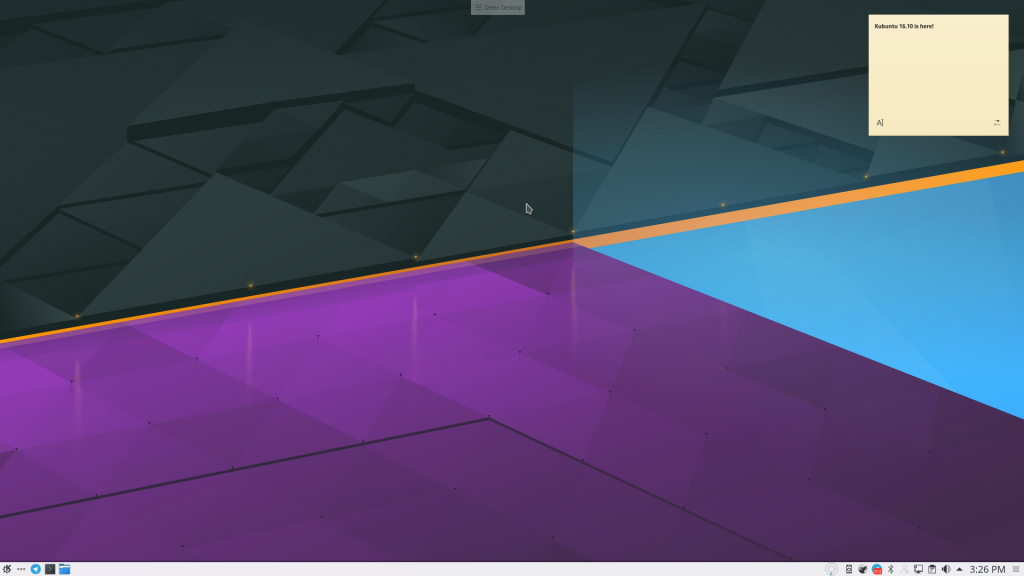
Kubuntu 16.10 is released today

Kubuntu is a friendly, elegant operating system. The system uses the Linux kernel and Ubuntu core. Kubuntu presents KDE software and a selection of other essential applications.

We focus on elegance and reliability. Please join us and contribute to an exciting international Free and Open Source Software project.


Install Kubuntu and enjoy friendly computing. Download the latest version:

Download kubuntu 64-bit (AMD64) desktop DVD    Torrent

Download kubuntu (Intel x86) desktop DVD            Torrent

PCs with the Windows 8 logo or UEFI firmware, choose the 64-bit download. Visit the help pages for more information.

====================                                                          
Ubuntu Release notes
For a full list of issues and features common to Ubuntu, please refer to the Ubuntu release notes.
Known problems
For known problems, please see our official Release Announcement.

Sunday, October 2, 2016

Snowden -- see this film!

You've seen the news stories, and maybe the documentary. The film Snowden will still scare and inspire you. Oliver Stone has made a film that will draw you in, engage you, and even feel anxious about Snowden's safety. Joseph Gordon-Levitt is amazingly like the man you've seen on TV or Youtube.

Imdb says about Snowden: Its performance during its opening weekend was the lowest opening of Oliver Stone's career for a film playing in over 2,000 theaters. So go to a theater near you, and see it!

Then come home and join the Electronic Freedom Foundation (EFF). And thank goodness you still have the freedom to do these things.

I'm so happy that the time I've spent working with KDE and Kubuntu support freedom and privacy too. These issues grow more important as the attacks on both grow more frequent and bold.

Wednesday, September 21, 2016

Kubuntu beta; please test!

Kubuntu 16.10 beta has been published. It is possible that it will be re-spun, but we have our beta images ready for testing now.

Please go to http://iso.qa.ubuntu.com/qatracker/milestones/367/builds, login, click on the CD icon and download the image. I prefer zsync, which I download via the commandline:

~$ cd /media/valorie/ISOs (or whereever you store your images)
~$ zsync http://cdimage.ubuntu.com/kubuntu/daily-live/20160921/yakkety-desktop-i386.iso.zsync

UPDATE: the beta images have now been published officially. Rather than the daily image above, please download or torrent the beta, or just upgrade. We still need bug reports and your test results on the qatracker, above.

Thanks for your work testing so far!

The other methods of downloading work as well, including wget or just downloading in your browser.

I tested usb-creator-kde which has sometimes now worked, but it worked like a champ once the images were downloaded. Simply choose the proper ISO and device to write to, and create the live image.

Once I figured out how to get my little Dell travel laptop to let me boot from USB (delete key as it is booting; quickly hit f12, legacy boot, then finally I could actually choose to boot from USB). Secure boot and UEFI make this more difficult these days.

I found no problems in the live session, including logging into wireless, so I went ahead and started firefox, logged into http://iso.qa.ubuntu.com/qatracker, chose my test, and reported my results. We need more folks to install on various equipment, including VMs.

When you run into bugs, try to report them via "apport", which means using ubuntu-bug packagename in the commandline. Once apport has logged into launchpad and downloaded the relevant error messages, you can give some details like a short description of the bug, and can get the number. Please report the bug numbers on the qa site in your test report.

Thanks so much for helping us make Kubuntu friendly and high-quality.

Monday, September 19, 2016

Kubuntu needs some K/Ubuntu Developer help this week

Our packaging team has been working very hard, however, we have a lack of active Kubuntu Developers involved right now. So we're asking for Devels with a bit of extra time and some experience with KDE packages to look at our Frameworks, Plasma and Applications packaging in our staging PPAs and sign off and upload them to the Ubuntu Archive.

If you have the time and permissions, please stop by #kubuntu-devel in IRC or Telegram and give us a shove across the beta timeline!